*$2.99 USD/mo. after free trial. Trial for new subscribers only. Cancel any time. Check software compatibility before subscribing. See FAQ for details.
Make the absolute most of your digital library
Your Kobo account is already the home for your Kobo books. Kobo Stack is the premium subscription that unlocks the full potential of that account, giving you the tools to organize, protect, and personalize it like never before.
Universal library upload, sync, and backup
Exclusive journaling and note-taking workbooks
Extended eReader protection
Kobo Stack: Your central content hub
Kobo Stack simplifies uploading and syncing, so your personal eBooks, PDFs, and documents can now all live in your Kobo library, along with your Kobo purchases.
JournalPDFeBookCalendar
JournalPDFeBookCalendar
JournalPDFeBook
Upload to the Kobo Cloud with two quick methods
Send to Kobo: Email your files directly
Simply email your eBooks, PDFs, and documents to your unique Kobo Stack address. They'll instantly appear in your library on any connected device.
Drag and drop your files
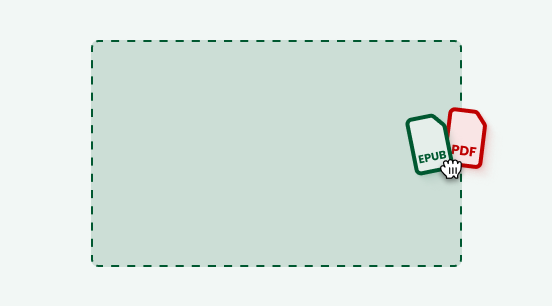
Drag and drop on kobo.com
Prefer a visual approach? Easily drag and drop files directly into your Kobo library on kobo.com.
Get organized and inspired with creative workbooks
Transform your Kobo eReader into a versatile creative hub. Access exclusive workbooks for journaling, note-taking, and planning—designed specifically for your Kobo eReader experience.
Kobo Stack offers powerful features to seamlessly manage your entire digital library, personalize your content, and secure both your eReader and notes.
Features
Kobo Account
Kobo Stack
Price
Free
$2.99 USD/month
Sync Kobo-purchased books & annotations across devices
included
included
Borrow books using multiple library cards
included
included
Sideload via USB
included
included
Sideload via Google Drive & Dropbox (select eReaders)
included
included
Send to Kobo: upload to Kobo Cloud by email
not included
included
Drag and drop: upload to Kobo Cloud on kobo.com
not included
included
Sync uploaded content & annotations across devices*
not included
included
Exclusive journaling and note-taking workbooks (select eReaders)
*Annotations sync with the Kobo Books app for viewing. Markup creation is currently exclusive to Kobo eReaders and does not support fixed-layout files.
**$2.99 USD/mo. after free trial. Trial for new subscribers only. Cancel any time. Check software compatibility before subscribing. See FAQ for details.
Frequently Asked Questions
Kobo Stack is available on all Kobo eReaders running software version 6 or later, including Kobo Libra Colour, Kobo Clara Colour, Kobo Clara BW, and Kobo Elipsa 2E. To find out what software your device is running, please consult this help article.
Kobo Stack is designed to be your single, central hub for all your digital content, regardless of their source. It simplifies your entire reading life by making it easier to manage sideloaded content and reducing manual effort, offering seamless access and organization that other tools often lack.
Kobo Plus is a subscription service offering unlimited access to a catalogue of more than 3 million eBooks and audiobooks. Kobo Stack, on the other hand, is a powerful platform designed to manage, organize, and enrich your entire personal digital library, including content from the Kobo Store, Kobo Plus, and other sources.
Sideloaded eBooks are eBooks that you acquire from sources other than the Kobo Store and then manually transfer to your Kobo library. These might include books you've received from friends, free eBooks from public domain archives, or digital copies of books you already own in another format. In contrast, eBooks purchased directly from the Kobo Store are automatically delivered and integrated into your Kobo library, ensuring seamless access and often optimized formatting for your device.
You can sideload eBooks and documents to your eReader by connecting it to a computer with a USB cable, or by using Dropbox or Google Drive. With a Kobo Stack subscription, you can also email them directly to your library with Send to Kobo, or upload them on kobo.com in your account settings.
Absolutely. Kobo Stack is specifically built to bring all your digital content from various sources into one unified library. It eliminates the need to juggle multiple apps or platforms, giving you a comprehensive overview of your entire collection.
Yes. Kobo Stack lets you capture, organize, and access all your notes and annotations, even from content purchased outside the Kobo Store, ensuring everything is always at your fingertips.
Kobo Stack employs robust, industry-leading encryption and strict privacy protocols to safeguard all your personal data. Whether it's your entire digital library of Kobo purchases and sideloaded eBooks, or your valuable notes and annotations, your content is always highly secure and accessible only to you, both within your library and backed up safely in the Kobo Cloud.
Yes! We offer a 30-day free trial for Kobo Stack so you can experience its full range of features and benefits firsthand. Integrate your full library and discover how Kobo Stack enhances your reading experience without any obligation.
Your billing will automatically begin after the 30-day free trial period unless you cancel beforehand. You can cancel anytime during your trial without being charged.
Upon cancellation, your Kobo Stack account will enter a critical 60-day grace period. During this time, it is essential that you download your library content and export all your notes and annotations made on both Kobo-purchased and sideloaded eBooks. This period is your only opportunity to transfer your data before it is permanently removed.
For Kobo-purchased content: Any content you purchased from Kobo will remain in your Kobo account and can still be accessed, even after the grace period ends. Content already downloaded to your Kobo eReader or Kobo Books app will also remain on your device.
For sideloaded content and all notes/annotations: While sideloaded content already on your device will remain, all notes and annotations made within Kobo Stack will become inaccessible and permanently deleted after this 60-day grace period.
After the 60-day grace period, all Kobo Stack advanced features will no longer be available, and any remaining content, notes, and annotations stored within the Kobo Stack cloud environment will be permanently wiped.
Your entire digital library and all your notes are securely stored in Kobo Cloud, not just on your device. If you lose access to a device, simply sign into Kobo Stack on a new one, and all your content will be seamlessly restored.
You can download your content and notes to your Kobo Stack-enabled devices, allowing for uninterrupted reading and access even when you're offline.
Yes. Kobo Stack integrates seamlessly with your Kobo account, which serves as the secure foundation for your unified library and personalized reading experience. If you don't have a free Kobo account yet, you can sign up for one here.
No. Kobo Stack is accessible across various platforms, including the Kobo Books App for iOS and Android, Kobo Web Reader, and all current Kobo eReaders. Access on eReaders made between 2018 and 2024 will arrive soon.
You can easily manage your subscription directly through your Kobo account settings on our website. Visit kobo.com, click My Account, then click My Subscriptions. Here, you can view your plan, update your payment information, or make any necessary changes.
You can find comprehensive help articles, FAQs, and contact options by visiting kobo.com/help. Our support pages will provide guidance on everything from getting started with Kobo Stack to managing your subscription and troubleshooting any issues.
Got more questions or need troubleshooting support for Kobo Stack? Visit our Help Center